
Your domain is your online identity. This guide walks you through the simple steps to register a new domain with Bragghost. Whether you're launching your first site or expanding your portfolio, our process is fast, intuitive, and secure.
STEP 1: Search for Availability. Visit Bragghost’s Instant Domain Search, enter your desired domain (e.g., yourdomain.com), and click Search. Tip: You can search across extensions by entering just the root name.
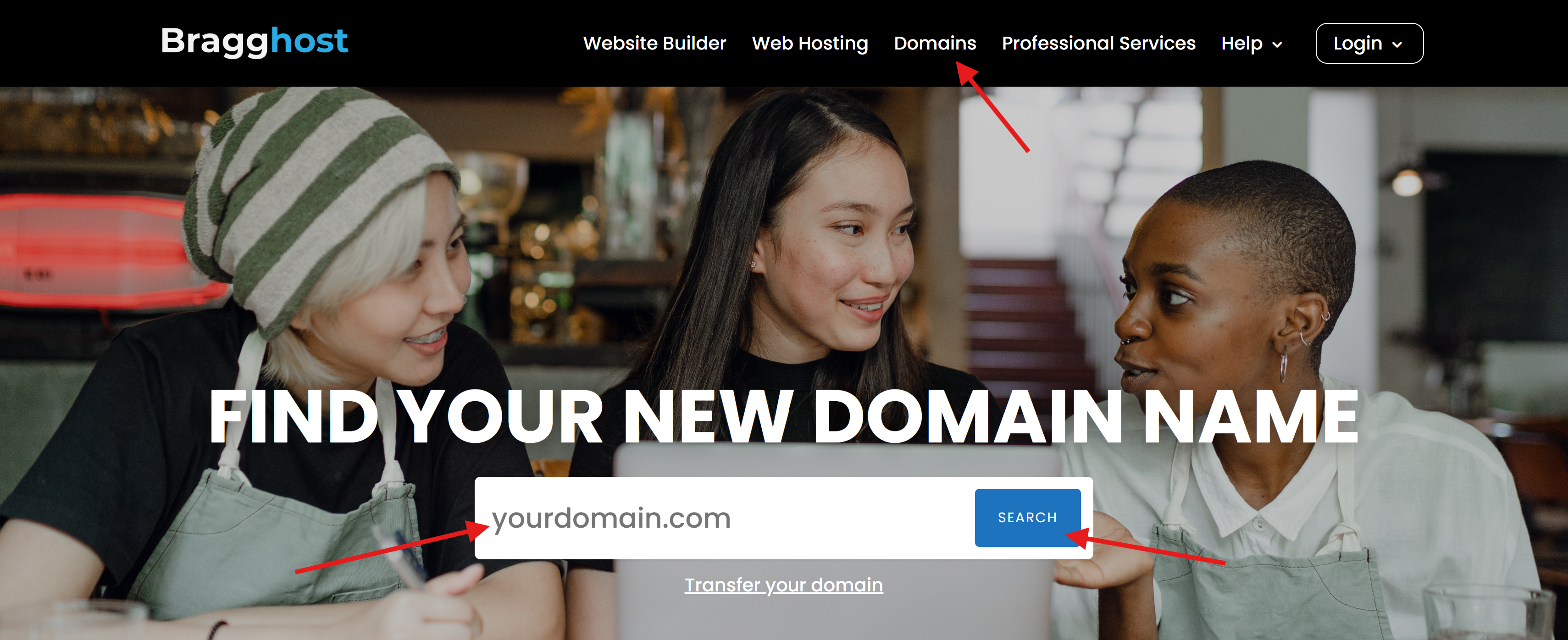
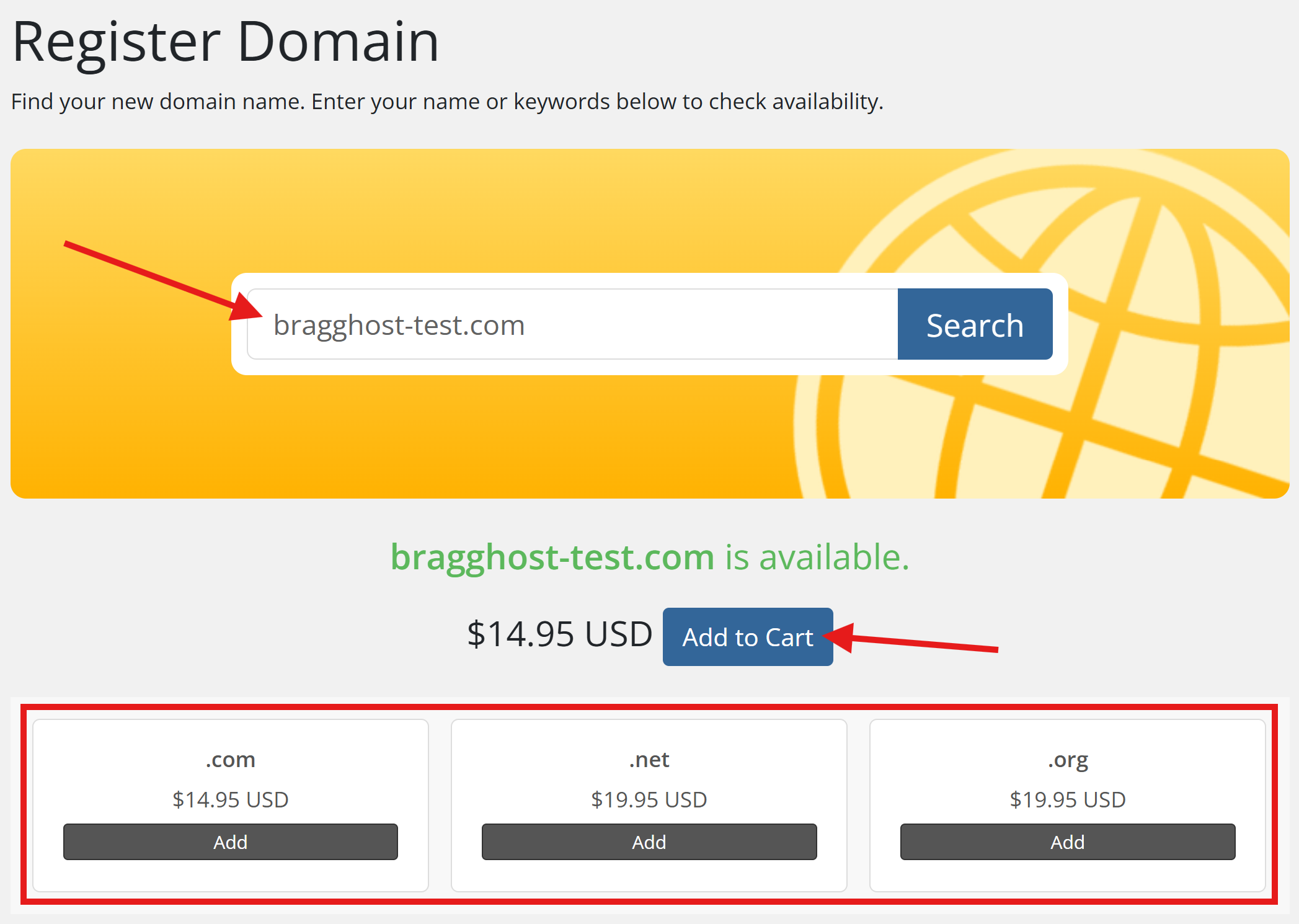
STEP 2: Select Your Domain. If the domain is available, click Add to Cart. Premium domains (pre-owned or high-value “one-word” domains) may have a higher price—set your filters if you prefer to exclude these.
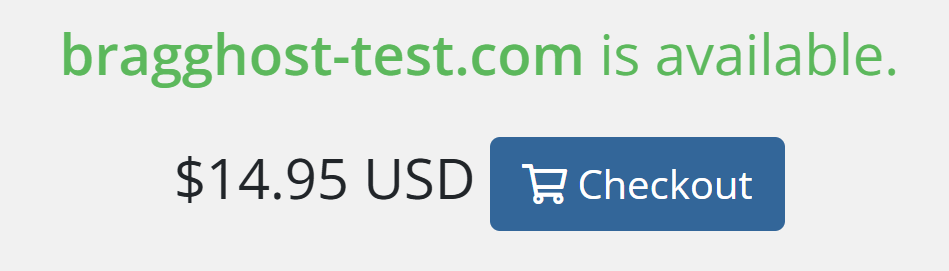
After adding the domain to your cart, click Checkout.
STEP 3: Configure Domain Options
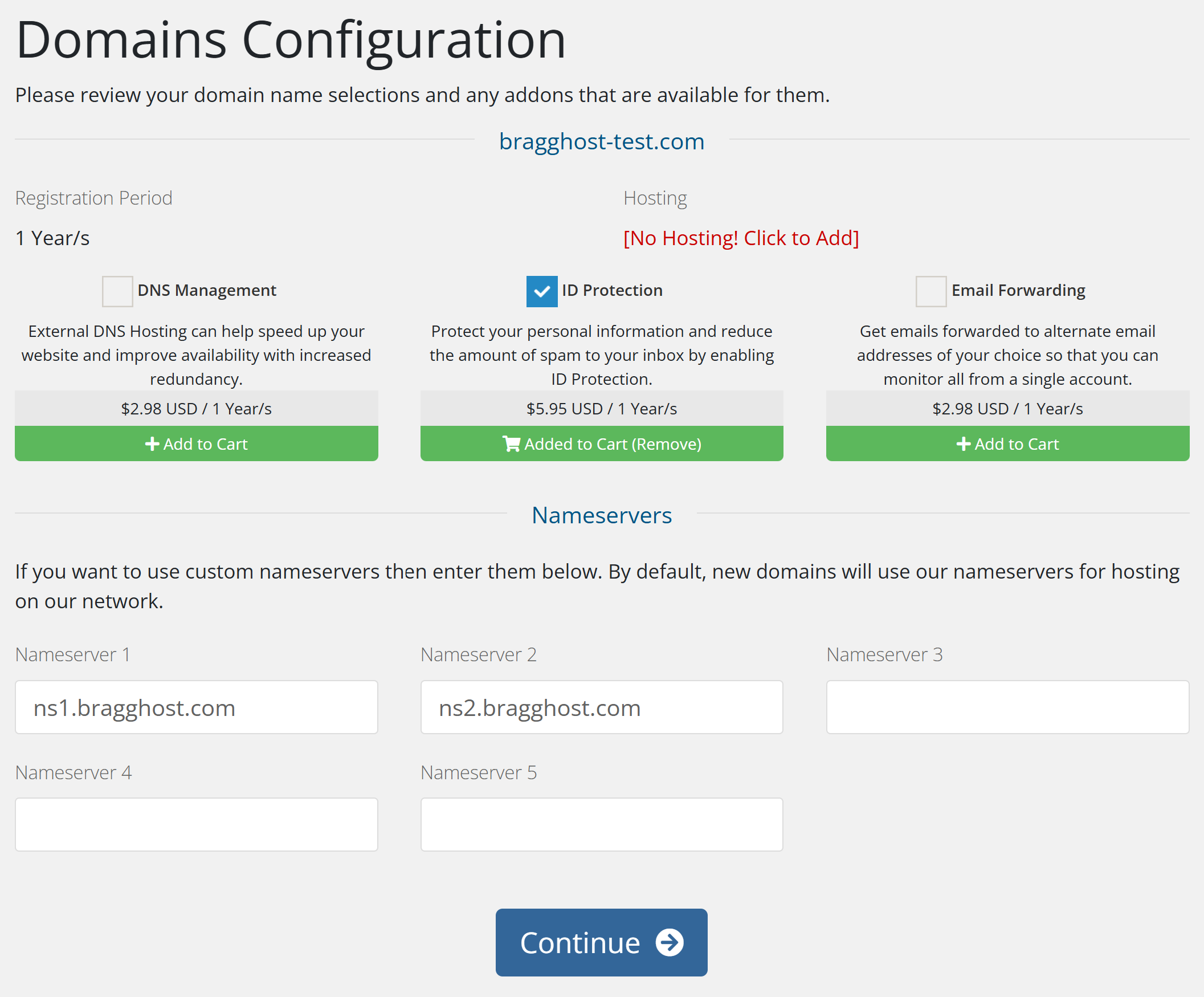
During checkout, you can select helpful add-ons:
-
DNS Management — Ideal if you don’t have hosting with Bragghost.
-
ID Protection — Hides your personal details in the public WHOIS database (highly recommended).
-
Email Forwarding — Send emails from your domain to your inbox (not needed if you're already using hosting).
-
Nameservers — Set your own (from another hosting provider) or use default Bragghost servers (auto-set for hosting customers).
Once finished configuring, click Continue.
STEP 4: Complete Checkout. Review your cart, choose your registration term and complete the payment. Your cart will display a full breakdown of domain prices, add-ons (such as ID Protection), and renewal costs. Note: Premium domains often have higher upfront costs, but their renewal rate is usually much lower.
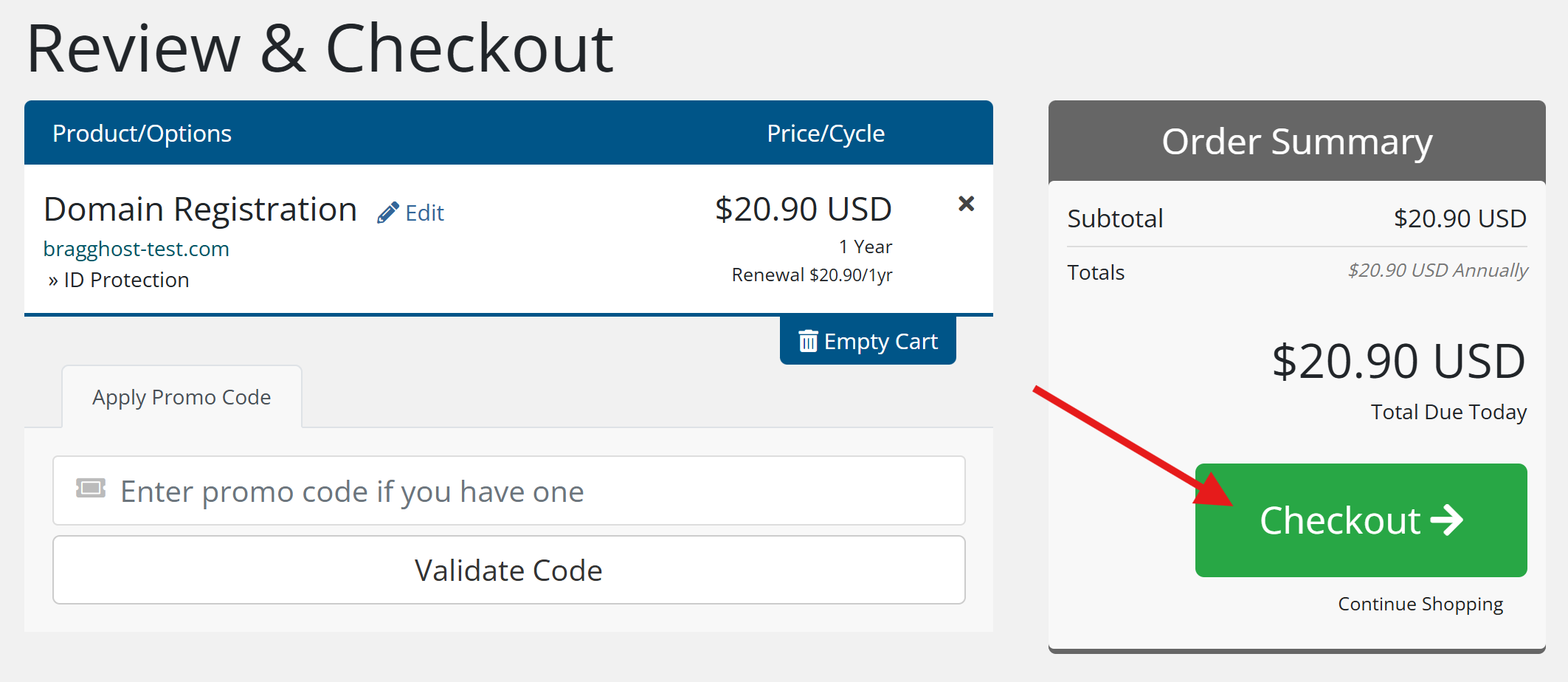
After you click Checkout, you will be directed to create an account and enter your payment information. If you are an existing customer, click Already Registered to log in. If you are a new customer, fill in your details carefully. Invalid information may prevent payment from processing. You may be asked to create a unique 4-digit PIN—keep this handy, as support may request it for verification.
Recommended Payment Method: Use a valid debit/credit card (Visa, Mastercard, Discover, or Amex). This ensures auto-renewal works properly. PayPal and Coinbase cannot process auto-renewals. Debit/Credit Card is best for international customers outside the U.S. Domains must be renewed annually. If payment is not received, the domain will expire and become available to the public.
Before completing your order, review Bragghost’s Terms of Service and Payment Policy. Please note that domain registrations and transfers are non-refundable because they’re submitted instantly to the registry.
STEP 5: Verify Your Email Address (Required by ICANN)
ICANN requires that all new domain registrations have their contact email address verified. This is a one-time process, but it’s critical:
-
Within a few hours (or up to 24–48 hours) after registering, you’ll receive a domain verification email from the registry.
-
The email contains a unique link you must click to confirm your contact details.
-
If you do not verify within 15 days, your domain will be suspended by the registrar and go offline until the email is confirmed.
Important: Watch your inbox (and spam/junk folder) for this email. Once verified, you won’t need to repeat this step for the same contact information. The email you will receive looks similar to the below:
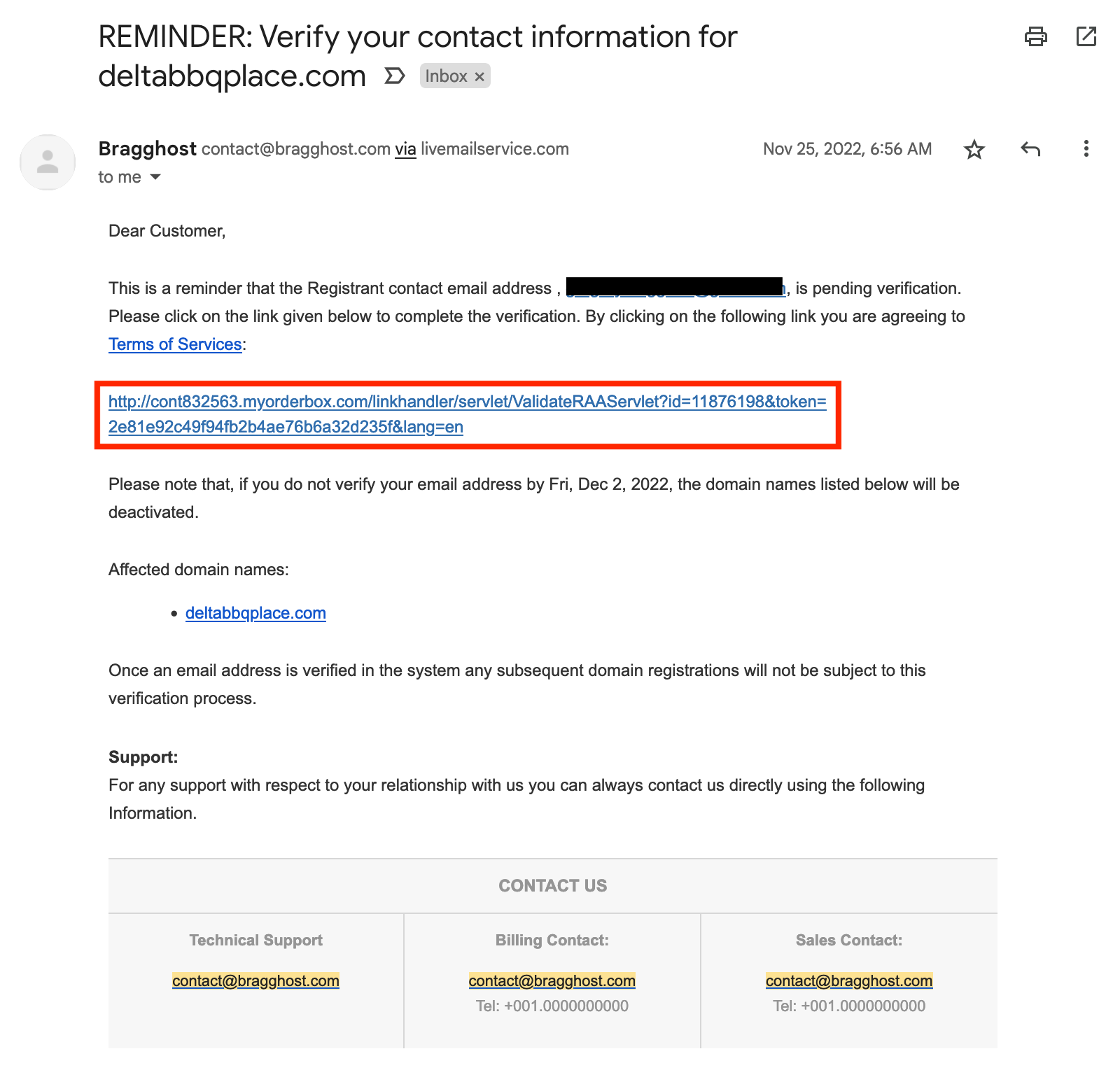
Failure to click this link WILL result in the registry placing it on HOLD, disabling it (meaning your website will go offline). If you do not see this email within 24 hours of registration, please check your Spam/Bulk email folder or reach out to our team to have it resent.
STEP 6: Manage Your Domain in Bragghost. After your domain is registered and verified, you can manage it directly from your Bragghost Client Portal.
Go to the Domains tab to see all your registered domains.

Select the domain you would like to manage. (Note: Click inside your domain’s row (not the text link) to open domain settings.)

Use the manage menu to the left of the screen for options like updating nameservers, enabling/disabling auto-renewal, etc.

Note: If you purchased hosting with your domain, Bragghost automatically sets the correct nameservers for you. If you need to connect your domain to an existing hosting plan, you’ll find the nameservers in your hosting welcome email. Changes to nameservers can take a few hours to propagate globally (anywhere from 1–24 hours).
By default, all domains are on auto-renewal, so if you register a domain you do not wish to automatically renew each year, you must disable this inside the Client Area.
STEP 7: Next Steps. After registering, you’ll receive a confirmation email with your domain dashboard. Depending on your setup, you may need to update nameservers or configure DNS records.
Frequently Asked Questions
Q: I paid for my domain, why does it still show as pending?
Most domain registrations go live instantly. Premium domains may require extra verification. In those cases, your domain will complete within 24 hours (often much sooner). If action is required on your end, we’ll email you.
Q: I misspelled my domain. Can I fix it?
Once a domain is active, it’s locked into the registry and cannot be changed or refunded. If you contact us immediately, in rare cases we may be able to cancel it before submission—but this isn’t guaranteed.
Q: I didn’t get my verification email. What should I do?
It can take up to 24 hours to arrive. Be sure to check your Spam/Junk folder. If you still don’t see it, open a support ticket and we’ll resend the link. Remember, ICANN requires verification within 15 days or your domain will be suspended.
Q: Can I add ID Protection later?
Yes. You can add ID Protection, DNS Management, or Email Forwarding at any time in the domain management section of your Bragghost dashboard.
Q: Can I delete my domain if I no longer want it?
No. Domains are active for the full term you purchased (usually 1 year). If you don’t want to renew, simply disable auto-renew and the domain will expire.
Q: How do I transfer my domain to another registrar?
If you’d like to move your domain away from Bragghost, you’ll need to unlock it and request the EPP/Auth code from your dashboard. See our Obtaining Your Domains Transfer EPP Code article for details.
