
If you have a domain registered at GoDaddy (or another registrar), and you want it to forward to a website hosted at Bragghost, this guide will show you how to set that up. Because GoDaddy controls the domain settings, you’ll make these changes in GoDaddy.
1. Log in to your GoDaddy account.
2. Go to your Domain Portfolio and select the domain you want to forward.
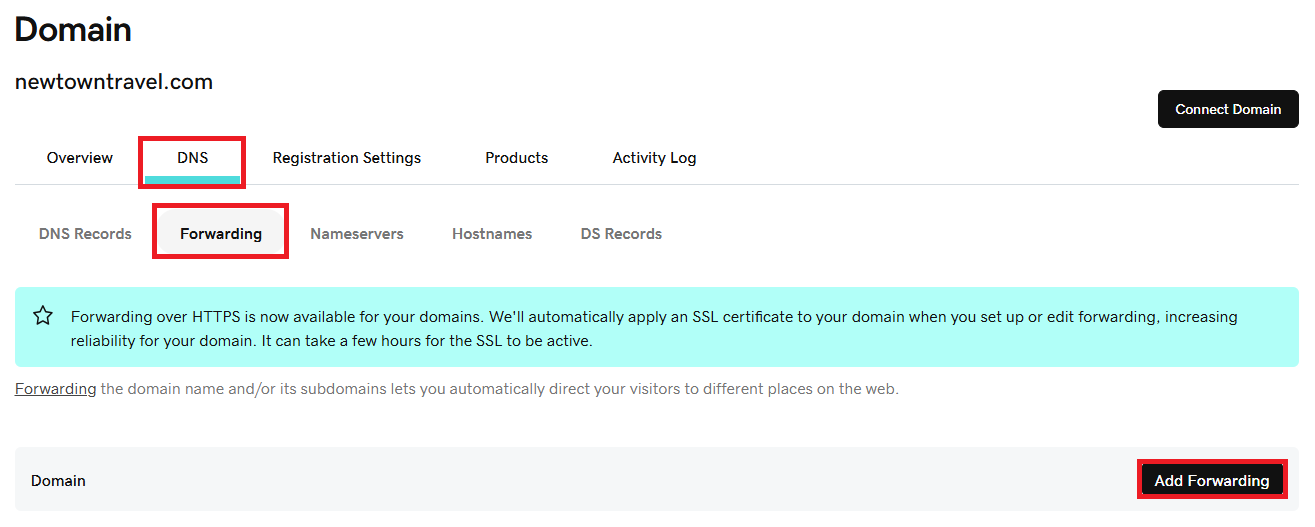
3. Select DNS, click Forwarding, then click Add Forwarding (or edit if forwarding already exists).
4. Enter the destination URL (your Bragghost site’s primary domain, e.g. www.yoursite.com).
5. Choose the forwarding type:
-
Permanent (301) — tells search engines that this forwarding is long term.
-
Temporary (302) — use this if you plan to forward only for a short time.
-
Forwarding with masking — if you want the forwarded domain to remain in the browser’s address bar (though masking has limitations, like SEO & browser display).
6. Select whether to use “http://” or “https://” for the destination (usually “https://” if your site has an SSL).
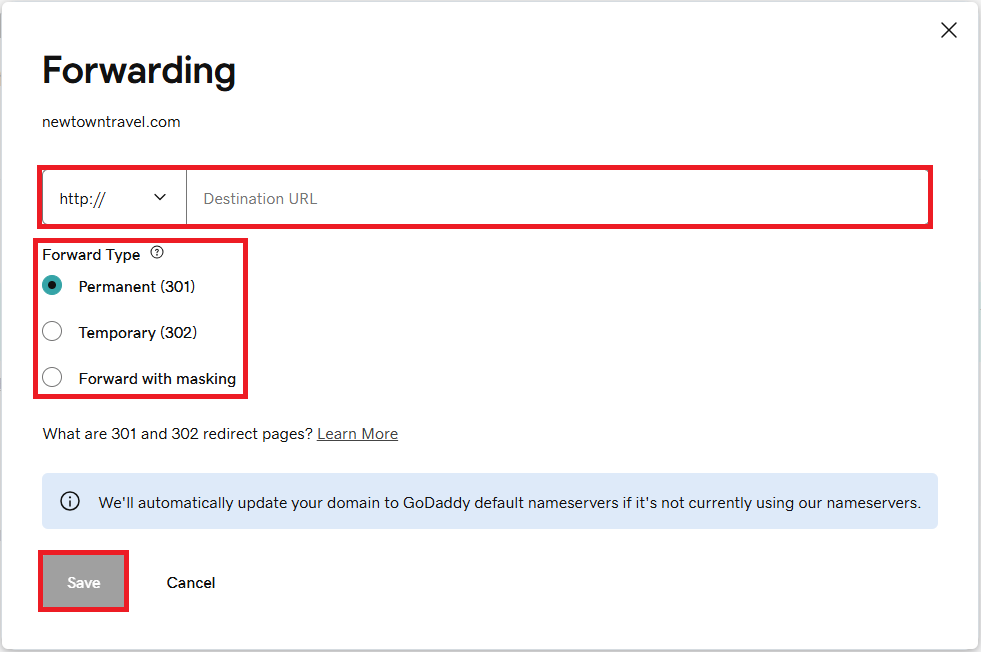
7. Save your changes.
