
At Bragghost, we aim to include the essential tools you need right out of the box. However, depending on your needs, you may want additional features that go beyond the basics. These are offered as optional add-ons you can enable or purchase when needed.
Hosting Add-Ons
Site Builder
Our Site Builder is perfect for beginners or small businesses that want to get online quickly. It provides an easy drag-and-drop editor with templates designed for blogs, portfolios, and business websites. You can build and publish your site in minutes without worrying about coding or installations.
SSL Certificates
Every Bragghost hosting plan comes with Free and Auto SSL by default. For most websites, this is all you need. However, premium SSL options are available as add-ons if you require extended validation, wildcard coverage (for subdomains), or additional trust indicators. These are often recommended for ecommerce websites or high-traffic businesses that want extra assurance for their customers.
Domain Add-Ons
In addition to hosting add-ons, Bragghost also offers services you can attach to your domain names. These help protect your privacy, manage records, or improve how your domain works with email.
ID Protection (WHOIS Privacy)
This hides your personal contact information in the public WHOIS database and replaces it with generic registrar details. It helps protect your identity and reduce spam.
DNS Management
This gives you the ability to manage DNS records (A, MX, CNAME, TXT, etc.) directly from your Client Area without requiring a hosting account. It’s useful if you want to connect your domain to external services such as email providers or app platforms.
Email Forwarding
Create domain-based email addresses (e.g., info@yourdomain.com) that automatically forward to an existing inbox (such as Gmail or Outlook). This gives you a professional-looking address without needing a full email hosting solution.
How to Order Add-Ons for Hosting
1) Log into your Bragghost Client Area.
2) Under the Services dropdown menu, click View Available Addons.
3) Browse the list of available add-ons for your active services.
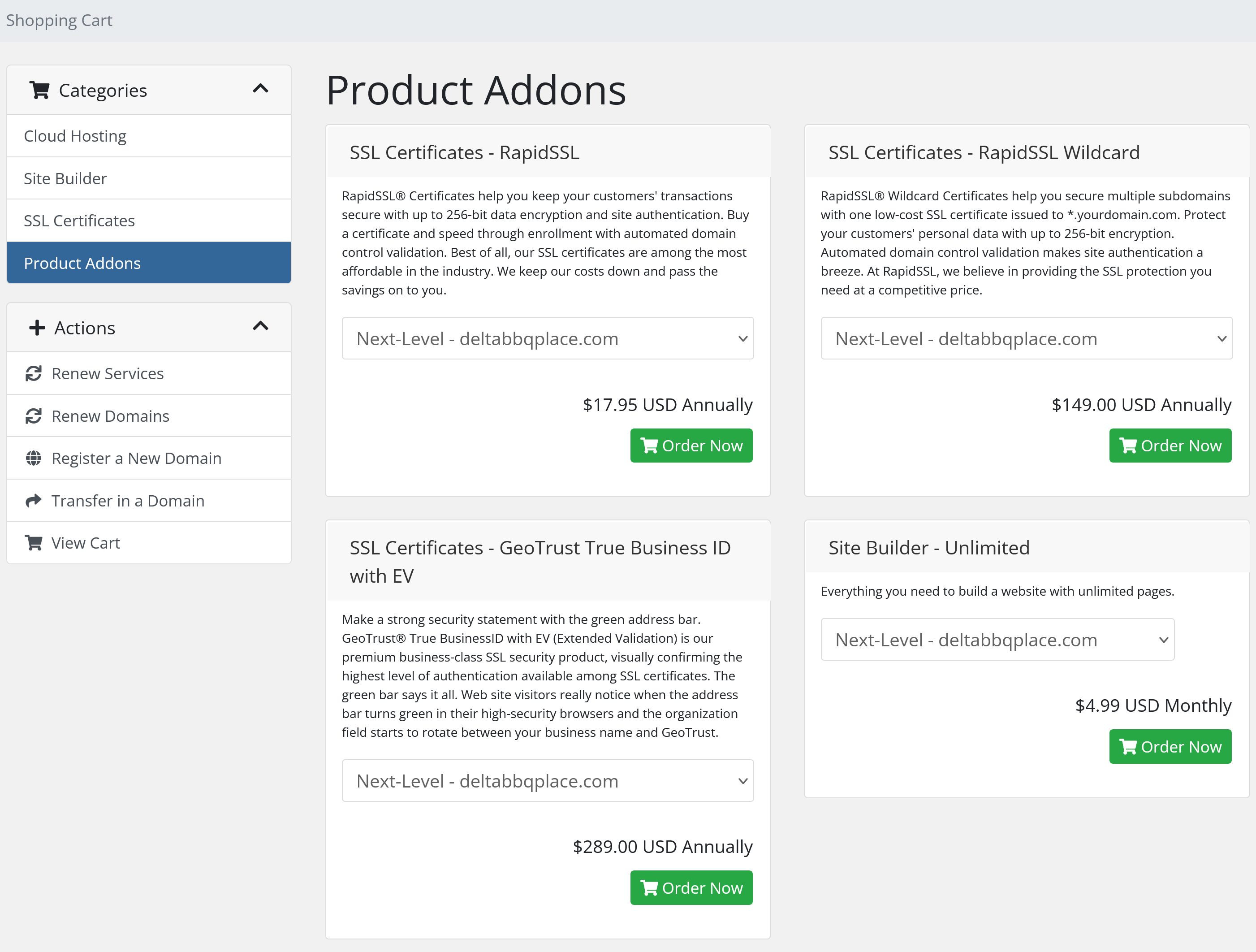
4) Click Order Now next to the add-on you want.
5) Review and pay the invoice
6) Some add-ons deploy instantly, while others may require setup by our team (usually within 24–48 hours). Please put in a support ticket if your addon is not configured.
How to Order Add-Ons for Domain Names
1) Log into your Bragghost Client Area.
2) Under the Domains dropdown menu, select My Domains.
3) Select the section of the domain name you want to manage, then click Addons. Enable the add-on(s) you want and complete checkout if required.

Some add-ons activate instantly, while others may require setup by our team (usually within 24–48 hours).
Things to Note & Considerations
-
Not all add-ons are available on every plan. The Product Add-Ons page will show what is available for your specific service.
-
Setup time: Some services deploy instantly, others may need manual configuration. Please put in a support ticket if you need assistance.
-
Add-ons may incur recurring fees. Be sure to check renewal pricing before you commit.
-
Optional, not required: Your hosting works out of the box; add-ons are for extra needs, not essentials.
FAQ
-
Q: Do I need to buy SSL if I already have Free SSL?
No — Free SSL is included by default. Premium SSL is only for additional validation, wildcard, or branding features. -
Q: Can I remove an add-on later?
Yes, most add-ons can be disabled or canceled in your Client Area. However, some instances (like extended backups) may affect data retention policies. -
Q: Are add-on changes instant?
Some add-ons are applied instantly; others may take 24–48 hours depending on configuration or deployment needs.
